

Windows 10 was officially released more than a decade ago, but millions of computers are still running it. For many users, there is a simple reason: their PC works perfectly well. Is Windows 10 in 2026 still safe?
That creates an important question in 2026:
Is Windows 10 still safe to use, or is it finally time to move on?
The short answer is that Windows 10 still works, but using it safely now requires more attention than it did before.
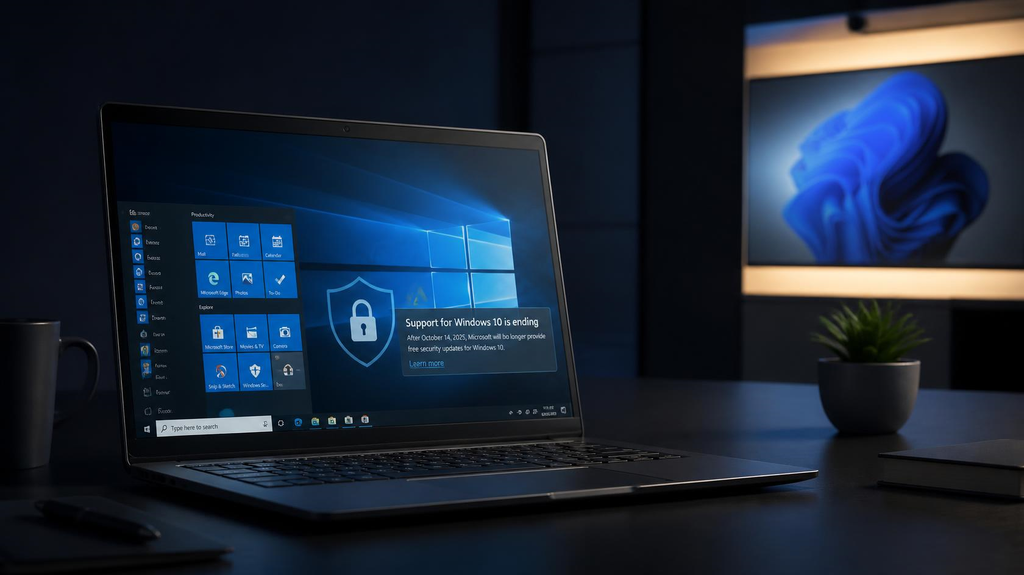
Microsoft officially ended standard support for Windows 10 on October 14, 2025. That means most Windows 10 computers no longer receive the regular security fixes, software updates and technical support that they once did.
However, that does not mean every Windows 10 computer suddenly became unsafe overnight. Microsoft also offers Extended Security Updates (ESU), giving eligible users additional time to transition.
Here’s what Windows 10 users need to know in 2026.

Windows 10 Support Has Officially Ended
The most important fact is that Windows 10 has reached the end of its normal support lifecycle.
Microsoft ended support for Windows 10 on October 14, 2025.
Your computer did not stop working on that date. Windows still starts normally, your files remain accessible, and most applications can continue to run.
What changed is Microsoft’s support.
Without Extended Security Updates, Windows 10 no longer receives regular:
- Security updates and fixes
- Software updates
- Feature updates
- Technical support from Microsoft
That distinction matters.
An unsupported operating system can continue working for years. The problem is that newly discovered security vulnerabilities may no longer be fixed.
Does That Mean Windows 10 in 2026 Is Unsafe?
Not automatically.
A Windows 10 computer did not become dangerous the moment Microsoft ended standard support. But the security risk increases over time when an operating system stops receiving security patches.
Researchers, criminals and software developers continue discovering vulnerabilities after an operating system reaches end of support.
If Microsoft no longer patches those vulnerabilities on your version of Windows, attackers may eventually have more opportunities to exploit them.
This is particularly important for a computer used for:
- Online banking
- Shopping
- Business
- Password storage
- Sensitive documents
- Cryptocurrency
- Administrative accounts
The longer an unsupported system remains connected to the internet, the more difficult it becomes to recommend it for sensitive activities.
Windows 10 Extended Security Updates Change the Situation
There is an important exception.
Microsoft created the Windows 10 Extended Security Updates (ESU) program for people who need additional time before moving to Windows 11.
Eligible consumer PCs enrolled in ESU can continue receiving critical and important Windows 10 security updates through October 13, 2026.
That makes a major difference.
A Windows 10 PC receiving ESU security updates is in a much better position than an unsupported Windows 10 PC receiving no security patches at all.
However, ESU should be understood as a transition period—not a new long-term life cycle for Windows 10.
It does not turn Windows 10 back into a fully supported operating system. Its primary purpose is to provide important security updates while users prepare to move to a supported platform.
How Can You Check Whether Your PC Is Receiving Updates?
Open:
Start → Settings → Update & Security → Windows Update
Check for available updates and review your update status.
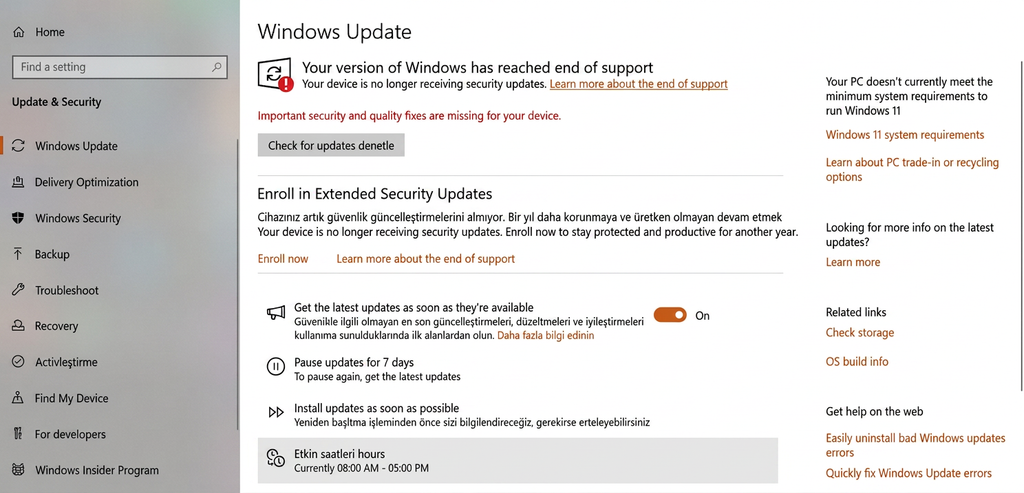
If you intend to keep using Windows 10, you should make sure your computer is running the latest available Windows 10 version and determine whether it is eligible for Extended Security Updates.
Do not assume that simply seeing Windows Update on your computer means Windows 10 is still receiving the same level of support it received before October 2025.
What About Antivirus Software?
Antivirus software is still useful, but it cannot completely replace operating-system security updates. This is an important misconception.

Microsoft Defender or another reputable security product can detect and block many malicious files and suspicious activities. Browsers also provide significant protection against dangerous websites and downloads.
But antivirus software operates on top of the operating system.
If Windows itself contains an unpatched vulnerability, antivirus software cannot guarantee protection against every possible exploit.
Think of antivirus software as one layer of security—not a substitute for a supported operating system.
Will Chrome, Firefox and Other Programs Still Work?
For now, many applications continue to work on Windows 10.
Software companies do not necessarily end support for their applications on the same day Microsoft ends support for Windows itself.
Browsers and other popular applications may therefore continue receiving their own updates for some time.
However, this will not last forever.
As Windows 10 becomes older, software developers will gradually have stronger reasons to stop testing and supporting their applications on it. Eventually, users may find that newer versions of certain applications require Windows 11 or another supported operating system.
This transition usually happens gradually rather than all at once.
What About Microsoft 365?
Microsoft 365 applications can continue working on Windows 10, but there is an important distinction between the applications and the operating system.
Microsoft has said that it will continue providing security updates for Microsoft 365 Apps on Windows 10 until October 10, 2028.
That does not mean Windows 10 itself is fully supported until 2028.
It means Microsoft 365 applications receive additional security coverage while users transition away from Windows 10.
A secure version of Microsoft Word running on an unpatched operating system does not eliminate vulnerabilities in the operating system itself.
Why Are So Many People Still Using Windows 10?
There are several perfectly understandable reasons.
Some computers work well on Windows 10 but do not officially meet Windows 11’s hardware requirements.
Others are used with older printers, scanners, specialized programs or peripherals that their owners do not want to risk disrupting.
And some users simply prefer Windows 10.
If a computer is fast enough for browsing, office work and everyday tasks, replacing the entire machine because of an operating-system requirement can understandably feel wasteful.
That is one reason Microsoft’s ESU program exists: not everyone can—or wants to—replace a functional computer immediately.
Should You Upgrade to Windows 11?
If your computer officially supports Windows 11, upgrading is generally the most sensible long-term option. You can use Microsoft’s PC Health Check app to see whether your computer meets the requirements for Windows 11.

Windows 11 remains supported and receives current security updates. Moving to it eliminates the uncertainty surrounding Windows 10’s end-of-support period.
Before upgrading, however, check compatibility with any software or hardware you depend on.
For most mainstream applications and relatively modern computers, compatibility should not be a major problem. But users who depend on old professional software, specialized hardware or legacy peripherals should investigate compatibility first.
What If Your PC Cannot Run Windows 11?
This is where the decision becomes more complicated.
You essentially have several options:
Use Windows 10 temporarily with ESU.
This can give you additional time while keeping the computer protected with Microsoft’s extended security updates.
Replace the computer.
If the machine is already very old, slow or unreliable, replacing it with a Windows 11-compatible computer may make more sense than investing additional time in an aging system. If your computer is still usable but has become noticeably slower, see our guide on what to do when your computer is running slowly before deciding to replace it.
Consider another supported operating system.
For users comfortable learning something different, a lightweight Linux distribution can sometimes extend the useful life of older hardware. This option is not appropriate for everyone, particularly if you depend on Windows-only software.
There are also unofficial methods for installing Windows 11 on unsupported hardware, but doing so introduces additional compatibility and support considerations. It should not be treated as equivalent to running Windows 11 on officially supported hardware.
How to Use Windows 10 in 2026 More Safely
If you need to continue using Windows 10, take additional precautions.
Keep Windows as updated as your support status allows. If your computer qualifies for ESU and you plan to remain on Windows 10, consider enrolling rather than running the operating system completely unpatched.
Keep your browser and applications updated as well.
Use Microsoft Defender or another reputable security solution, enable your firewall, and avoid downloading software from unknown websites.
Be especially cautious with email attachments, suspicious links and pirated software.
Use strong, unique passwords and enable two-factor authentication wherever possible.
Most importantly, maintain backups of important files. A backup cannot prevent malware or hardware failure, but it can dramatically reduce the damage if something goes wrong.
So, Is Windows 10 in 2026 Still Safe?
Windows 10 can still be reasonably usable in 2026, particularly for users receiving Extended Security Updates, but it is no longer the best long-term choice for an internet-connected PC.
There is an important difference between a computer that still works and an operating system that is still fully supported.
Windows 10 still works.
But its normal support lifecycle is over.
If your computer supports Windows 11 and you have no serious compatibility problems, upgrading is the safer long-term decision.
If your computer does not support Windows 11, ESU can provide valuable additional time—but that time should be used to plan what comes next.
You do not necessarily need to throw away a perfectly functional computer today.
But in 2026, Windows 10 users should have an exit plan.